SYPreparing your departure
SPATIALYACHTA NEW PERSPECTIVE
THE OPEN OCEAN, REIMAGINED

The ocean.
Entirely yours.

A luxurious yacht. An endless blue horizon.
Take the helm in a world you can step inside.

REAL-TIME 3DNO DOWNLOAD TO PLAY

LIVE FROM THE ARCHIPELAGORendered in your browser. This is the game.
AURELIA 28YOUR PRIVATE MOTOR YACHT
01 / YOUR NEXT ESCAPEDiscover the experience ↓OCEAN AIR. OPEN POSSIBILITY.
CHOOSE YOUR COURSE

Some journeys
have no itinerary.

Find your rhythm on open water, navigate the islands, or master a perfectly measured arrival. Three ways to make the ocean your own.
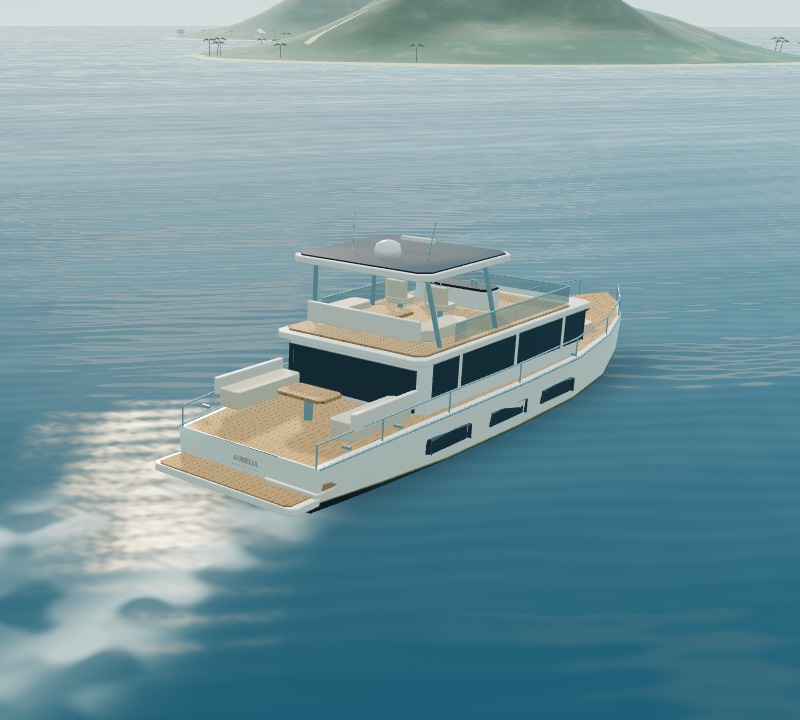
Aurelia, the original 28-metre luxury yacht rendered by the gameAURELIA 28 / ORIGINAL GAME VESSEL
MEET YOUR YACHT

Crafted for
the unhurried.

Pearl-white decks. A deep-navy hull. Teak underfoot and a panoramic flybridge above. Aurelia is your private vantage point on an entirely 3D ocean.

28mCLASS LENGTH
7.2mBEAM
2INDEPENDENT ENGINES

A fictional vessel with game-tuned handling. Not a real-world yacht specification or a boating-training simulator.

BUILT FOR A DIFFERENT PERSPECTIVE

Not a screen.
A place to be.

Enter an immersive WebXR session from Safari on Apple Vision Pro. Look around a full-scale helm, lean to see the deck, and look and pinch to operate the controls.

Per-eye stereoscopic renderingTracked head positionIn-world helm controls

Checking immersive WebXR availability…

Requires HTTPS and an immersive-WebXR-capable headset browser. Start seated, with Comfort mode on. Headset validation is pending; browser support and performance vary.

WELCOME ABOARD

Your helm.
Your horizon.

Keyboard & mouse

W / S Increase / decrease both engines. Throttle stays where you set it.

A / D Hold to steer. Q / E Hold the bow thruster.

SPACE Neutral thrust — not an instant brake. Use gentle reverse to slow.

C Switch helm / chase camera. Drag the ocean to look around. P Pause.

The two sliders control port and starboard engines independently. Touch buttons are available on smaller screens.

Apple Vision Pro

Choose Enter spatial and allow the immersive session. Your first view is paused at the helm.

Look at a 3D console button and pinch. Hold PORT / STBD or BOW buttons to maneuver; release to center. Tap THR + / − to set speed.

Choose PAUSE to start or stop, RECENTER to align the seated helm, and EXIT XR to return to Safari.

Comfort mode stabilizes the horizon and limits speed and turning. Stop the experience if you feel uncomfortable.

Docking: Enter the lit berth facing north. Center the yacht, reduce speed below 0.5 knots, select neutral, and settle for 3 seconds. This is entertainment, not boating instruction.